A multifunction alarm clock with iTunes support
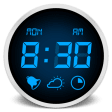
Aurora is a nice little alarm clock for Mac with seamless iTunes support.
Top Recommended Alternative

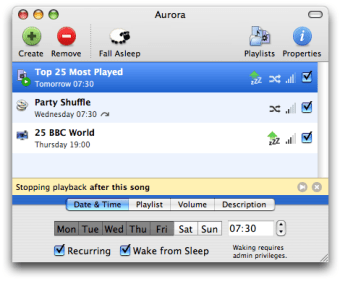
Easy to control thanks to a clear interface, Aurora lets you set up multiple alarms and easily configure your wake up time and specific dates for it to ring. It includes a snooze feature for those difficult Monday mornings and lets you set how long the alarm will ring. You can also easily decide which alarm to trigger on which day of the week.
Aurora includes iTunes support, so you can choose from a specific playlist or track to launch in the morning instead of one of the default alarms. We also liked how it can wake up your Mac at a special time of day or slowly put it to sleep, perfect if you want it to slowly turn off your Mac after watching a movie or DVD. Users will also like having remote support, so that you don't have to get up to turn it off.
Because Aurora used to be freeware, old users might be a little disappointed to learn that it now is shareware with the demo limited to 14 days. This is why 22$ might be a little difficult to sacrifice for some users.
Despite the price, Aurora is an excellent alarm clock for Mac with seamless iTunes support and loads of alarm and sleeper functions. Recommended.
Changes
Fixed an incompatibility with Lion.